
From Solo Tool to Team Infrastructure: Scaling Gluon for Production
$ grep -n "^##" 2026-02-gluon-solo-tool-team-infrastructure-scaling.md
Part 4 of 4 in Gluon: Building an AI Agent Orchestrator series
Five developers. Twelve agents running in parallel. No one knows which agent just deleted a production config file.
That's what happens when you take a personal tool -- one developer, one machine, one set of tmux panes -- and hand it to a team without rethinking the infrastructure underneath. Everything I built in the first three posts works beautifully for one person. For five people, it becomes a liability.
Three months ago I showed you Gluon running on my Mac mini. Today it's production infrastructure for autonomous agents at team scale, and that evolution forced me to rethink everything around the core loop. The question that drives the whole post: who's holding the leash when there are twelve leashes?
The Inflection Point
When I'm the only user, I know my own tolerance for agent autonomy, which projects are sensitive, and my budget. I can glance at a terminal and tell whether an agent is stuck or thinking. A team of five has none of that shared context, and new constraints surface:
- Security isolation: What stops one agent from corrupting another's work, or touching
~/.awsand production credentials? - Governance visibility: How do you enforce consistent autonomy policies when every developer has a different risk tolerance?
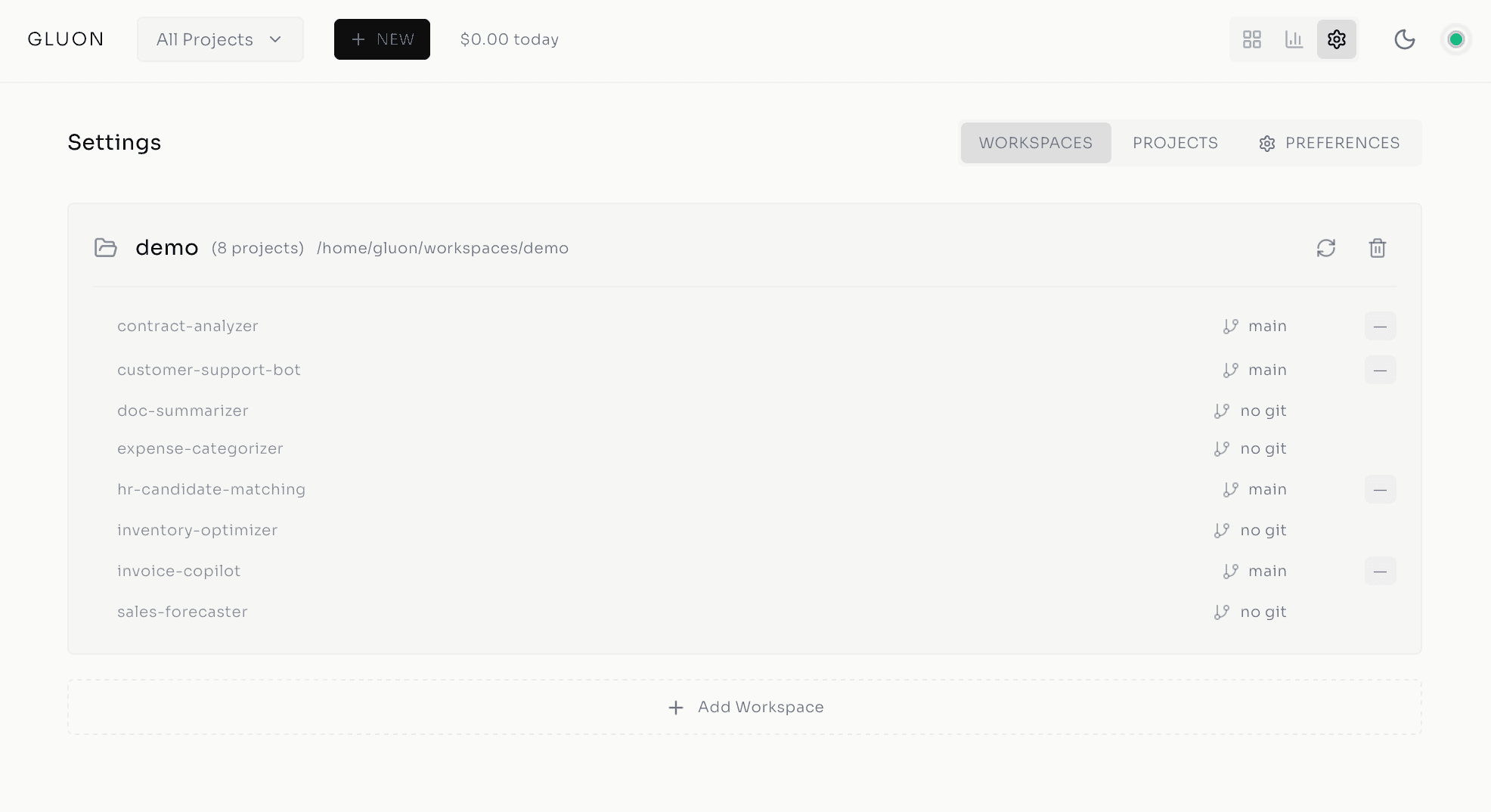
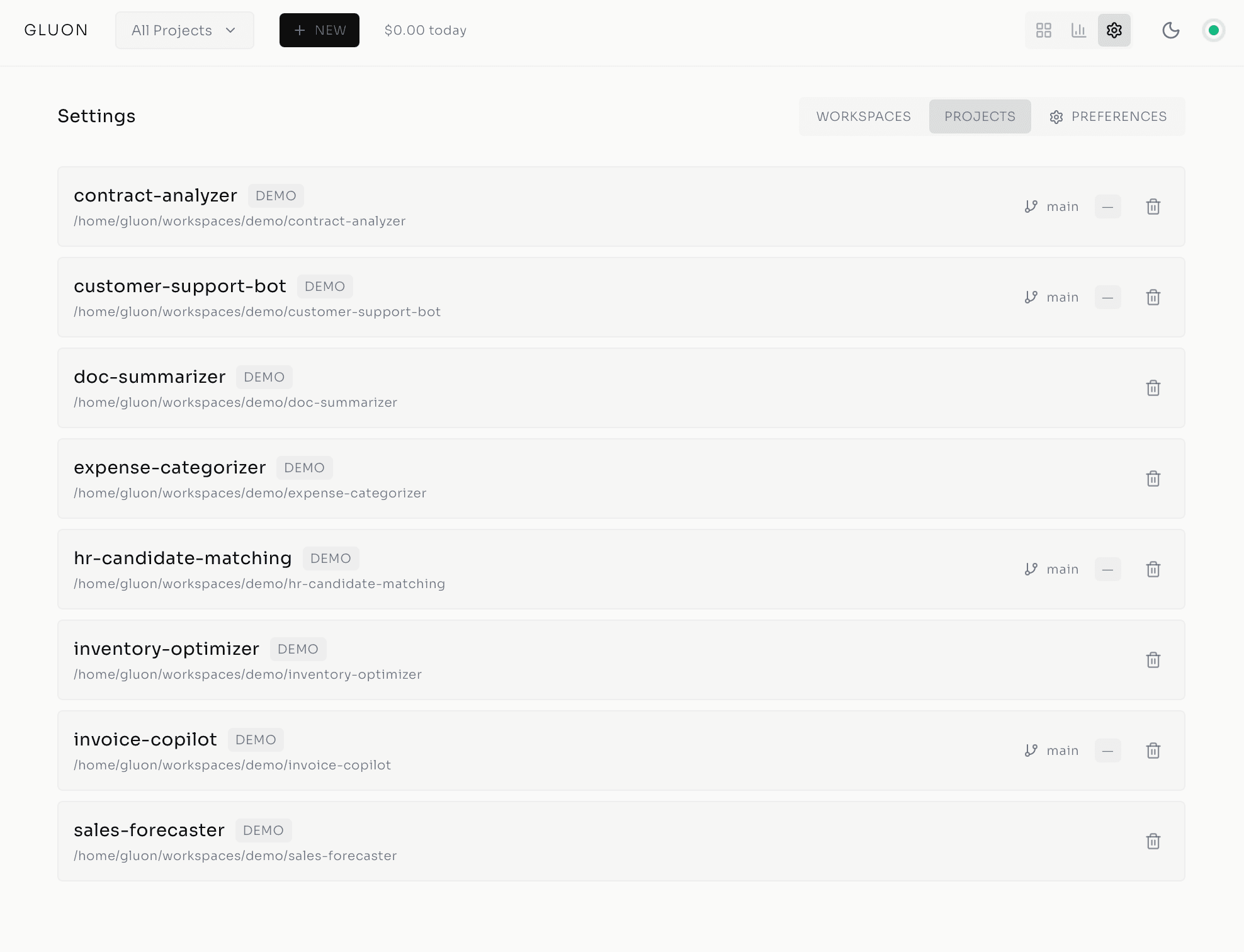
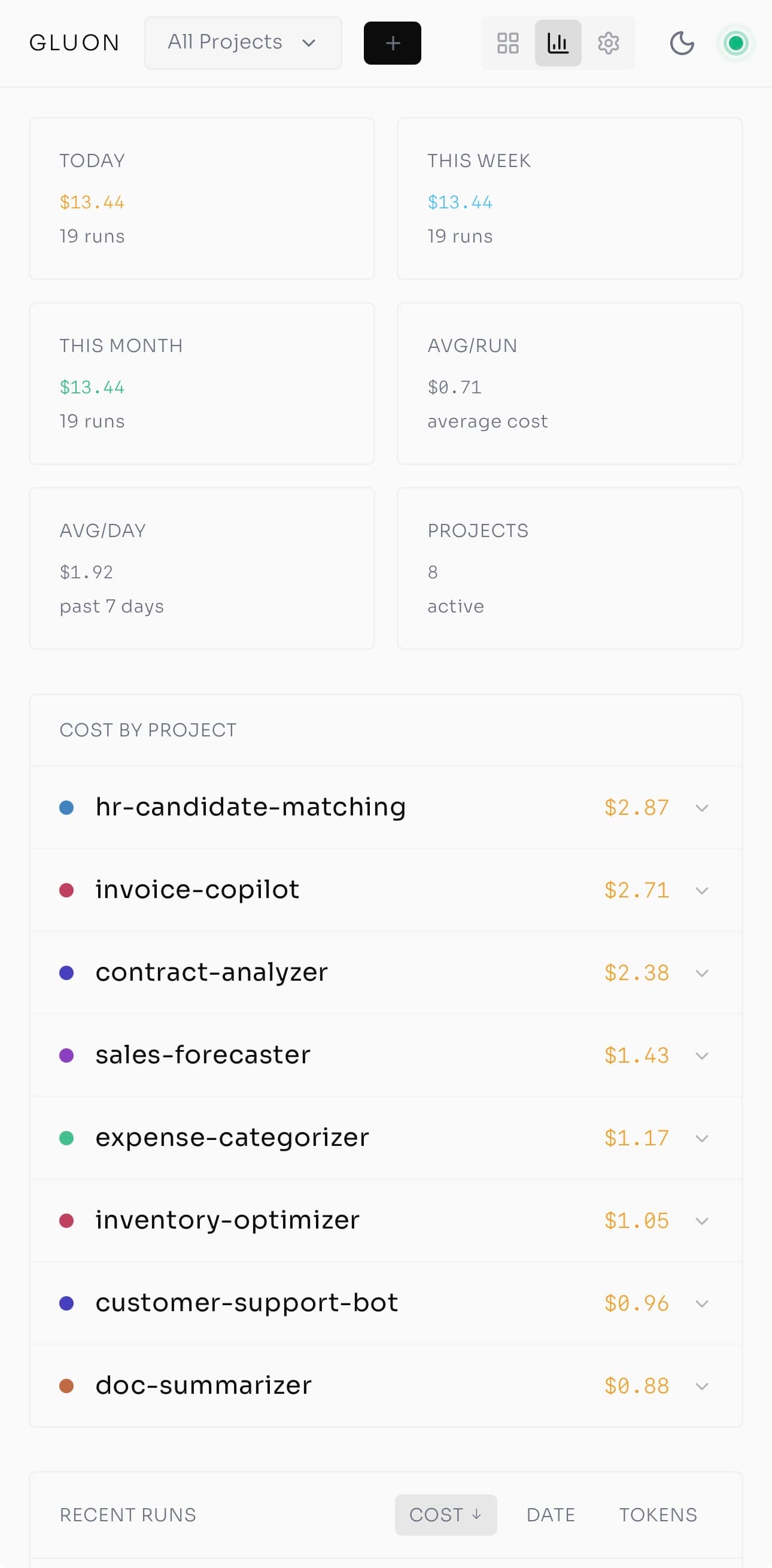
- Cost attribution: Solo, it's one bill. Teams need to know which project, which agent, which user burned the budget.
- Observability: Humans can't read logs in real time at scale. They need signals that proactively flag trouble.
- Failure recovery: When an agent gets stuck or the network drops, can it resume — or does someone lose three hours of work?
Here's what changed.
Security & Isolation: Each Agent Gets a Sandbox
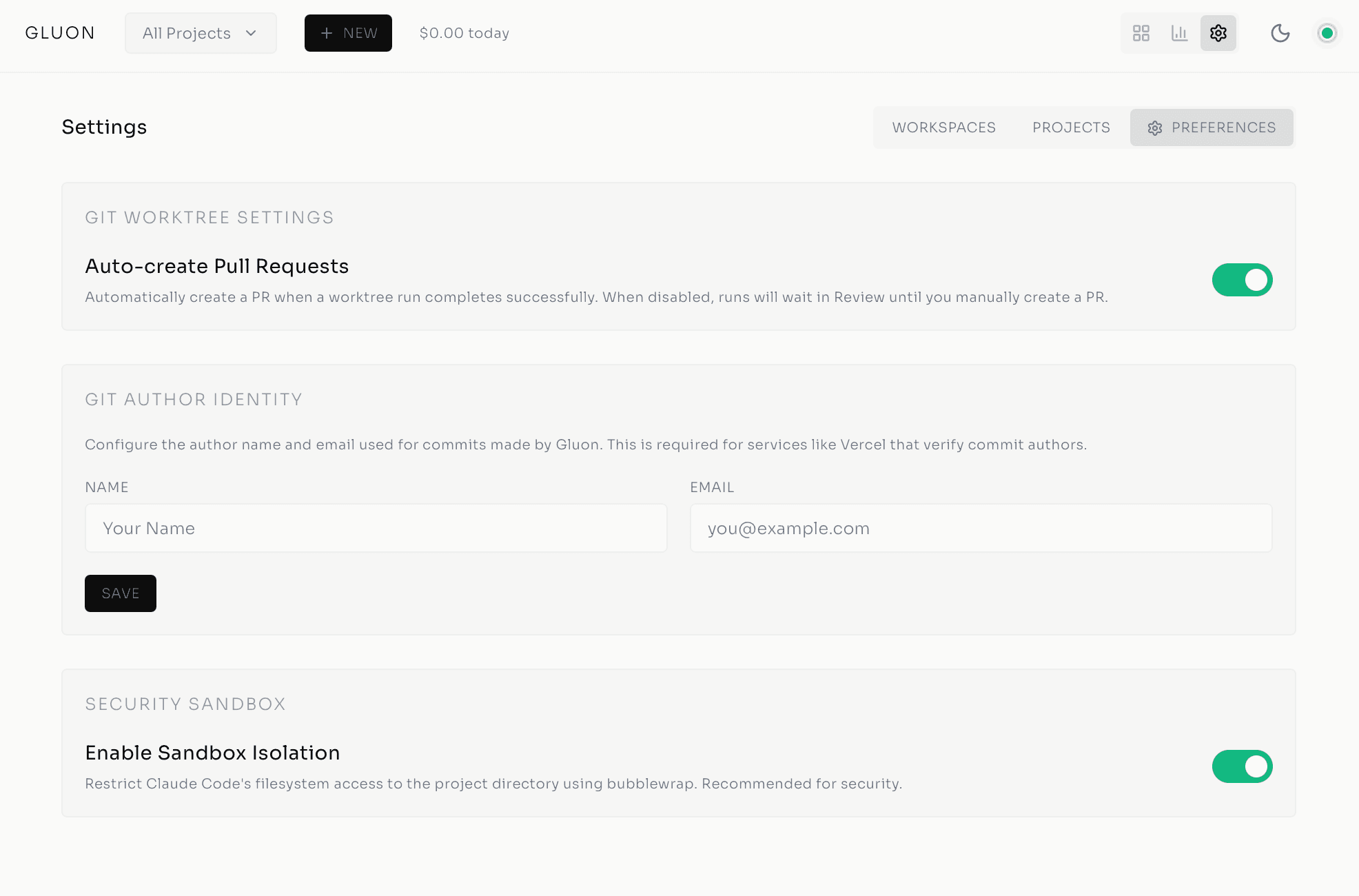
Autonomous agents wielding code-execution tools are powerful and dangerous. Without isolation, one misconfigured agent can corrupt another's work -- or touch production data. Gluon's security model is defense-in-depth: each agent runs in an isolated OS-level sandbox with three enforced boundaries.
Filesystem sandboxing via bubblewrap (Linux) or sandbox-exec (macOS) restricts each agent to the git worktree created for its task. It can't escape to touch ~/.aws, ~/.ssh, or your home directory.
PUID/PGID support makes agents inherit your host user permissions, not root -- critical for Docker deployments. An agent can run npm install in your project's node_modules because it's running as you, not as an omnipotent root user.
Scoped volume mounts define exactly what the container can access:
~/.claude(read-write) -- Claude CLI credentials~/.gluon(read-write) -- Database, logs, images~/workspaces(read-write) -- Project source code~/.aws(read-only) -- AWS credentials for Bedrock API calls~/.config/gh(read-only) -- GitHub CLI configuration
Everything else is off-limits -- no system binaries beyond the container, no personal documents.
Resource limits cap CPU and memory per agent: 8 cores and 12 GB RAM by default (configurable per workspace), so a runaway agent can't melt your infrastructure.
When engineers orchestrate agents instead of writing code, you have to guarantee those agents can't interfere with each other or reach what they shouldn't.
Agent Teams & Parallel Coordination
Once agents are isolated, the next problem is coordination. How do multiple agents work the same task without stepping on each other?
Claude Code's Agent Teams capability -- native to the Claude Agent SDK -- makes this possible. A lead agent spawns subagents concurrently, each on a distinct subtask, then synthesizes the results. Implementing a feature, for instance, you spawn four subagents: one designs the API endpoint, one creates the database schema and migrations, one builds the frontend form with validation, one writes the tests.
They run in parallel. Gluon's SubagentTracker monitors start/stop events in real time via agent hooks, and the lead agent (running Opus) validates consistency and surfaces conflicts. A feature that took one agent 4-6 hours now finishes in 1-2, with higher quality.
Best practice: structure prompts with 2-5 distinct subtasks, name the shared files subagents should reference, and end with explicit synthesis instructions.
It's the conductor metaphor from Workato: "AI agent orchestration coordinates across multiple AI agents so they can collaborate and carry out complex tasks. Without a conductor, you don't get beautiful music -- you get noise."
Work Queue & Merge Queue: Task Orchestration
Coordinating agents in parallel is one problem; coordinating the human workflow around them is another.
The work queue solves the "too many agents fighting for attention" chaos. Queue 10 bugs Monday morning, and Gluon dispatches them across the week, respecting rate limits and cost caps -- batched, prioritized, pushed to available slots, with WebSocket updates keeping the dashboard live. No babysitting.
The merge queue handles PR merges when agents generate pull requests over overlapping files. Conflicts are inevitable, and traditional CI/CD just blocks until someone manually rebases. Gluon's merge queue processes PRs sequentially with conflict detection, shows exactly which files collided, and offers one-click AI conflict resolution -- Claude runs the rebase programmatically. Humans set policy, agents execute.
Observability: The Witness Health Monitor
With work flowing through queues, teams need visibility. At scale, humans can't read logs -- they need signals. Enter the Witness Health Monitor, a background process that classifies running agents into five states:
- Healthy: Normal progress, files changing, iteration advancing
- Slow: Making progress but below expected throughput
- Looping: Repeating similar actions, no forward movement
- Stuck: No file changes for five consecutive iterations
- Zombie: Process alive but unresponsive
Rendering diagram...
Each classification shows as a colored dot on the Kanban task cards -- green, yellow, orange, red, gray. At a glance, you know which agents are humming and which need attention.
This matters because the most common failure mode in production AI isn't bad output -- it's overwhelmed humans. Teams get flooded with thousands of daily approvals and log messages, alert fatigue sets in, someone switches to "auto-approve," and the careful governance you built evaporates. Witness turns that chaos into five colored dots you can read in one glance.
Natural Language Interfaces: From Terminal to Anywhere
Dashboards are great at your desk, but teams live in Slack, Discord, and Telegram now.
Gluon's chat bots bring the full orchestrator to natural language. The Telegram and Discord bots run Claude reasoning plus 40+ MCP tools covering project management, git, run and queue management, and system admin, with model selection via flags (--model opus for reasoning-heavy tasks, --model haiku for quick answers). You're in a meeting, someone says the bug-fix agent looks stuck, you flip to Telegram and type "Cancel run bugfix-12, resume with more aggressive search." Done -- no SSH, no terminal. Witness colors, cost tracking, and conflict resolution all flow through the same interface.
Gluon is also a Progressive Web App -- install it on your phone and monitor Ralph loops from a coffee shop over a Tailscale tunnel, with cost caps, health indicators, and cancel buttons at your fingertips.
The biggest unlock here isn't the technology -- it's that anyone on the team can hold a leash without being a terminal expert.
The Governance Gap
All these systems -- isolation, coordination, visibility, chat interfaces -- address one root problem: humans can't scale at the rate of AI. Forty-five billion non-human agent identities are projected by end-2026, and only 10% of organizations have governance strategies. The villain isn't AI capability; it's the assumption that informal governance -- "we'll figure it out as we go" -- survives agents multiplying faster than the policies governing them.
Gluon's answer is explicit governance:
- Supervision policies define auto-resume behavior per task, from aggressive through conservative (the default) to fully manual. Post 3 covered the details; the point at team scale is consistent policies across all agents, not ad-hoc decisions per developer.
- Circuit breakers (the 3-state pattern from Post 3) stop runaway loops before they drain budgets -- non-negotiable when no one can watch every agent.
- 100% audit logging records every decision, cost, and tool call. Accountability is built in, not bolted on.
- Cost visibility tracks token spend, API calls, and cost-per-run, with enforced caps so no agent surprises you with a $5,000 bill.
And the critical detail: explicit exit signals. Ralph's design uses dual-condition checks -- both a COMPLETE status and an explicit EXIT_SIGNAL flag -- because if you only check for "completion," an agent can loop forever claiming victory. The leash from Post 3, at team scale, becomes governance infrastructure that every team member holds the same way.
The Role Shift: From Code Writer to Orchestrator
Here's the honest admission I keep circling back to: my job has quietly stopped being writing code and started being deciding what gets built, by whom, and whether what came back is right. That isn't theoretical -- it's already how my week runs.
The skills shift accordingly: advanced prompt engineering (phrasing tasks so agents understand intent), systemic thinking (designing workflows across multiple specialists), PromptOps (versioning prompts, monitoring behavior, tuning for quality), and supervision design (setting policies, guardrails, and exit conditions). Over half of companies expect to use AI orchestration by 2026 -- the market is signaling what practitioners already feel.
Gluon exists to make this pattern production-ready -- not just for enterprises with 500-person teams, but for 5-person startups and solo developers coordinating agents across projects. The orchestrator doesn't care how big your team is. It cares that someone's holding every leash.
Who Holds the Leash
Sandboxes, agent teams, work and merge queues, the Witness monitor, chat interfaces, explicit governance -- all of it serves the one principle I started with: humans stay in control while Claude agents do the work, and the means of staying in control has to scale with the team, not just with one developer who can hold the whole picture in his head.
Gluon is open source under the MIT license: github.com/carrotly-ai/gluon-agent. Version 0.8.0, Python 3.12+, Docker-deployable, 80+ REST endpoints, 40+ chat tools, 50+ CLI commands. I didn't want this behind a SaaS paywall — teams should own their orchestrator. If you're running Claude agents today, fork it and make it yours.
The tmux chaos of three months ago feels like ancient history, but the question it raised only gets more urgent as the agents multiply: not whether they can do the work, but whether anyone is still in a position to catch it when they quietly don't.
Series Navigation
- Post 1: From tmux Chaos to AI Agent Orchestration
- Post 2: Inside the Cockpit
- Post 3: Ralph Loop — Autonomous Execution
- Post 4: From Solo Tool to Team Infrastructure (you are here)
$ subscribe --newsletter
Practical AI engineering, in your inbox
Field notes for technical leaders building agents, evaluation systems, governance, and production infrastructure.
Related
The 30 Principles for Agentic Engineering — Part 3: The Harness
Principles 15–20. The harness configuration that keeps the kernel and lifecycle cheap: CLAUDE.md under 200 lines, hooks for real incidents, skills that auto-invoke, subagent isolation, pinning, and Stage 5 distribution.
Standardise the Harness, Customise the Work: The 5-Layer Agent Architecture
Three open-source extractions converged on the same five layers. The architecture isn't a vendor narrative — it's a discovered structure. Here's the decision rule that keeps you from over-engineering it.
The 15-Tool-Call Rule: Where Agent Quality Falls Off a Cliff
Practitioner consensus puts the cliff around fifteen tool calls per prompt. Here's why agents degrade past that, and the three operational rules that keep them on the safe side.