
Scraper MCP: Context-Efficient Web Scraping for LLMs
$ grep -n "^##" scraper-mcp-context-efficient-web-scraping-for-llms.md
The Problem with Web Scraping in AI Agents
If you've built AI agents that interact with the web, you've hit this wall: context windows fill up fast.
A typical webpage contains thousands of tokens of boilerplate—navigation menus, footers, sidebars, scripts, and ads—before you get to the actual content. When your LLM is paying attention to every token, that noise isn't just wasteful. It's expensive. And it degrades response quality.
I've been building with Claude Code and MCP (Model Context Protocol) for months now. Every time I asked Claude to fetch a webpage, I watched tokens evaporate on HTML cruft. The raw HTML of a typical article page runs 15,000-30,000 tokens. The actual content? Maybe 2,000-3,000.
That's a 90% waste rate.
So I built something to fix it.
Introducing Scraper MCP
Scraper MCP is an open-source MCP server that brings context efficiency to web scraping. It processes HTML server-side—before it reaches your LLM—so you only pay for the tokens that matter.
The core insight: filtering should happen at the source, not in the model.
Instead of:
- Fetch raw HTML (30,000 tokens)
- Send to LLM
- LLM extracts relevant content
- LLM responds
Scraper MCP does:
- Fetch HTML
- Apply CSS selector filter
- Convert to clean markdown
- Send to LLM (2,000 tokens)
- LLM responds
Token reduction: 70-90%. That's not theoretical. That's what I measure in production.
Quick Start
Getting started takes thirty seconds:
# Run with Docker
docker run -d -p 8000:8000 --name scraper-mcp cotdp/scraper-mcp:latest

# Add to Claude Code
claude mcp add --transport http scraper http://localhost:8000/mcp --scope user
That's it. Your Claude Code now has access to six new tools:
| Tool | Purpose |
|---|---|
scrape_url | HTML to markdown (best for LLMs) |
scrape_url_html | Raw HTML when you need it |
scrape_url_text | Plain text extraction |
scrape_extract_links | Link discovery |
perplexity | AI web search with citations |
perplexity_reason | Complex reasoning with web data |
Try it:
> scrape https://example.com
> scrape and filter .article-content from https://blog.example.com/post
The CSS Selector Advantage
The real power is in targeted extraction. Instead of fetching an entire page, tell Scraper MCP exactly what you want:
# Extract only the article content
scrape_url("https://blog.com/article", css_selector="article.main-content")

# Get Open Graph metadata
scrape_url("https://example.com", css_selector='meta[property^="og:"]')

# Extract navigation links only
scrape_extract_links("https://example.com", css_selector="nav.primary")
The server uses BeautifulSoup4's selector engine, supporting tag names, classes, IDs, attributes, descendants, and pseudo-classes. If you can express it in CSS, you can filter it.
This isn't just about token savings. Targeted extraction gives your LLM cleaner data to work with. Less noise means better reasoning.
Built for Production
Scraper MCP isn't a toy. It's designed for real workloads:
Three-tier caching: Different TTLs for realtime data (5 minutes), default content (1 hour), and static pages (24 hours). Cache hit rates of 60-80% are common in production.
Intelligent retry logic: Exponential backoff for transient failures. Configurable retries and timeouts. The server handles flaky connections so your agent doesn't have to.
Batch operations: Process multiple URLs concurrently. Pass an array of URLs and get parallel execution with individual success/failure status for each.
# Batch scrape with a single call
scrape_url([
    "https://site1.com/article",
    "https://site2.com/article",
    "https://site3.com/article"
])
Monitoring dashboard: Real-time visibility into request statistics, cache metrics, and error patterns. The built-in playground lets you test tools interactively without writing code.
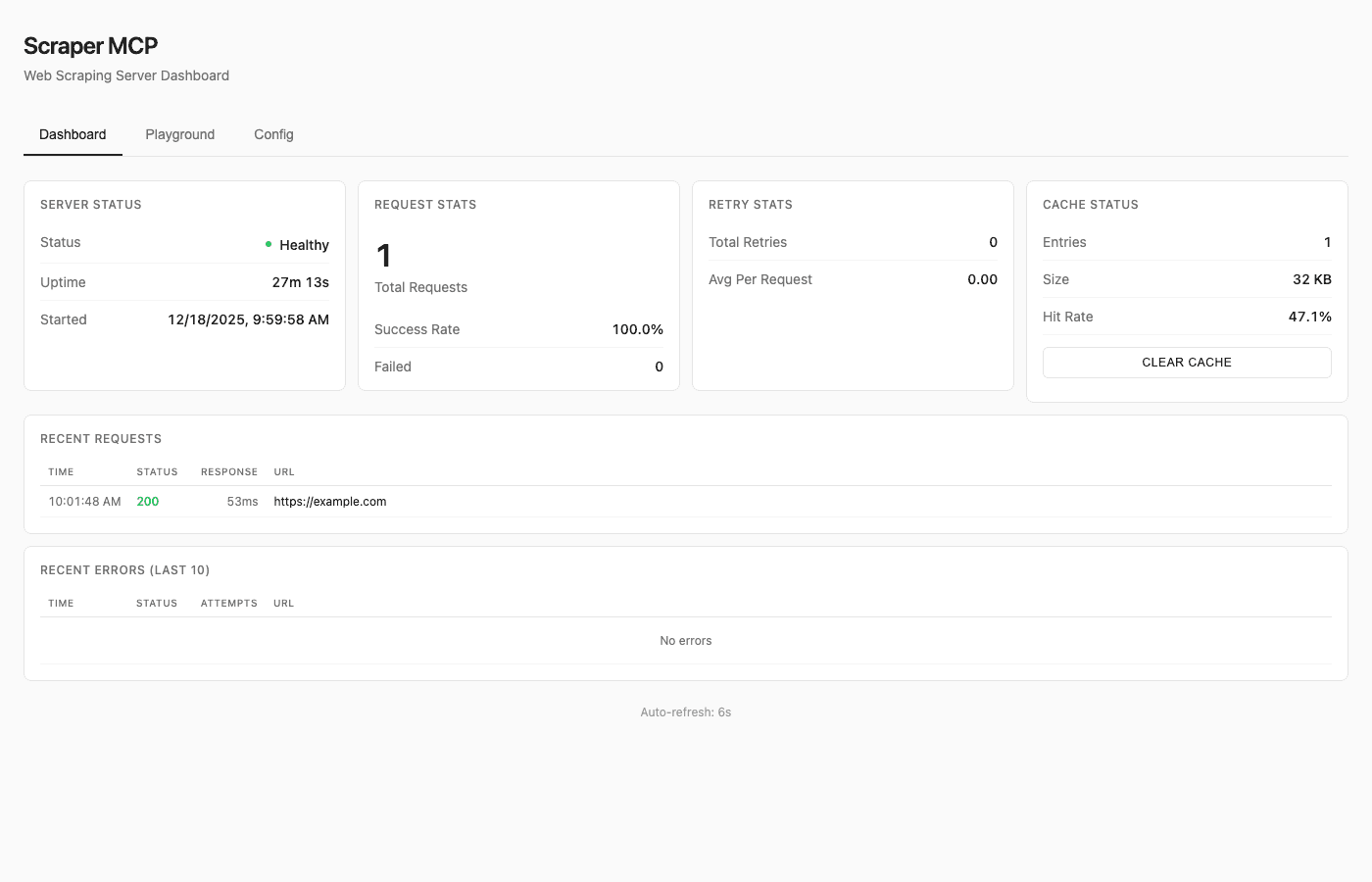
The dashboard shows server health, request statistics, cache hit rates, and recent request history. Click any request to see full details including response content and timing.
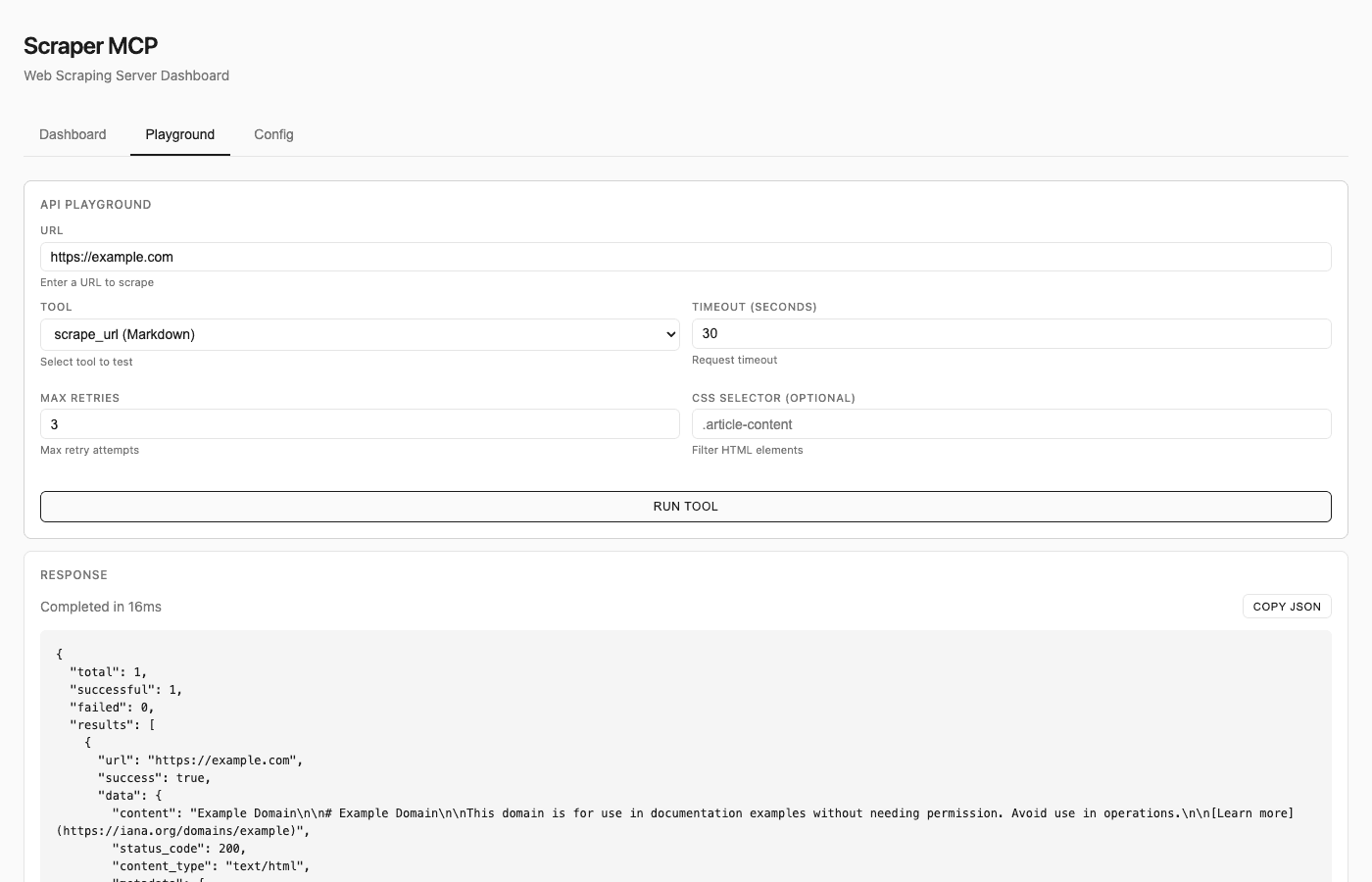
The playground lets you test all scraping tools directly in the browser—configure CSS selectors, timeouts, and retry settings, then see the results immediately.
Perplexity AI Integration
Web scraping is one part of the puzzle. Sometimes you need AI-powered web search.
Scraper MCP integrates with Perplexity AI for two use cases:
Web Search (perplexity tool): AI-enhanced search that returns cited responses. Ask a question, get an answer with source URLs. Great for fact-checking, research, and real-time information.
Reasoning (perplexity_reason tool): Complex analytical queries that require multi-step reasoning. The model thinks through problems step-by-step using current web data.
Both tools require a PERPLEXITY_API_KEY environment variable. The integration is optional—Scraper MCP works perfectly without it.
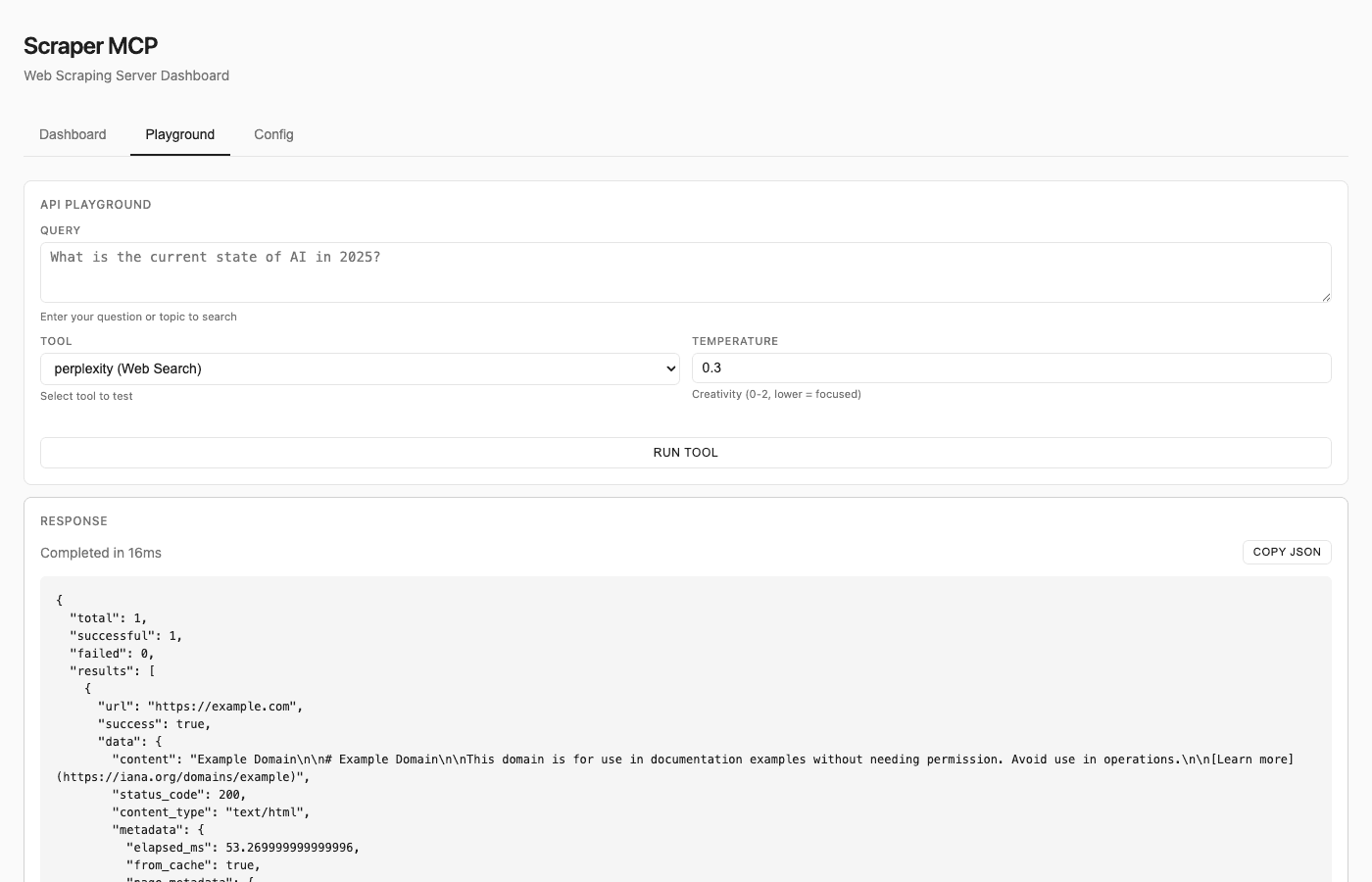
The playground also supports Perplexity AI tools—test web searches and reasoning queries directly, with full response including citations and token usage.
MCP Resources and Prompts
Beyond tools, Scraper MCP exposes MCP resources and prompts:
Resources provide read-only access to server state:
cache://stats– Cache hit rates and entry countsserver://metrics– Request success rates and timingconfig://current– Runtime configuration
Prompts offer reusable workflow templates:
analyze_webpage– Structured content analysisseo_audit– Comprehensive SEO checkresearch_topic– Multi-source research workflowfact_check– Claim verification
These can be disabled via environment variables if you want to minimize context overhead.
Architecture
The server is built with Python and FastMCP:
scraper_mcp/
├── server.py          # MCP server initialization
├── tools/             # Tool implementations
├── resources/         # MCP resources
├── prompts/           # MCP prompts
├── services/          # Perplexity integration
├── cache.py           # Three-tier cache system
└── dashboard/         # Monitoring UI
It runs as a stateless HTTP server—resilient to restarts, no session management required. Docker images are published to Docker Hub, and the CI pipeline runs on every push.
Claude Code Skills
I've also packaged Claude Code Skills that teach Claude how to use Scraper MCP effectively:
- web-scraping skill: CSS selector patterns, batch operations, retry configuration
- perplexity skill: AI search, reasoning tasks, conversation patterns
Install them with:
cp -r .claude/skills/web-scraping ~/.claude/skills/
cp -r .claude/skills/perplexity ~/.claude/skills/
Once installed, Claude Code automatically applies these patterns when performing web scraping tasks.
The Economics of Context Efficiency
Let's do the math on a typical research workflow.
Without Scraper MCP:
- 10 web pages × 20,000 tokens average = 200,000 input tokens
- Claude Opus 4.5 at $5/MTok input = $1.00 per research session
With Scraper MCP:
- 10 web pages × 3,000 tokens (filtered) = 30,000 input tokens
- Same model = $0.15 per research session
Savings: 85%
At scale, this adds up. A hundred research sessions a month goes from $100 to $15. The savings pay for the server infrastructure many times over.
But the real benefit isn't cost—it's quality. Cleaner context means better reasoning. Your agent spends its attention budget on content, not cruft.
Getting Started
Scraper MCP is MIT licensed and available on GitHub:
Repository: https://github.com/cotdp/scraper-mcp
Docker Hub: https://hub.docker.com/r/cotdp/scraper-mcp
The quickest path:
# Start the server
docker run -d -p 8000:8000 cotdp/scraper-mcp:latest

# Add to Claude Code
claude mcp add --transport http scraper http://localhost:8000/mcp --scope user

# Open the dashboard
open http://localhost:8000/
For Claude Desktop, add to your MCP settings:
{
  "mcpServers": {
    "scraper": {
      "url": "http://localhost:8000/mcp"
    }
  }
}
Contributions are welcome. The project follows standard GitHub workflows—issues, PRs, discussions.
Scraper MCP is my contribution to that ecosystem: a focused tool for context-efficient web access. It solves a real problem I hit repeatedly when building AI agents.
If you're building with Claude Code or MCP, give it a try. The 70-90% token reduction is real. The cleaner context makes a noticeable difference in output quality.
And if you improve it, send a PR.
Scraper MCP is open-source under the MIT license. Source code, documentation, and Docker images are available at github.com/cotdp/scraper-mcp.
$ subscribe --newsletter
Practical AI engineering, in your inbox
Field notes for technical leaders building agents, evaluation systems, governance, and production infrastructure.
Related
Claude Code Rebuilt My Website in 25 Minutes for $8
I gave Claude Code an XML backup of my 19-year-old WordPress blog and asked it to rebuild everything as a modern NextJS site. What happened next was like watching a swarm of expert developers work in parallel—spawning agents, debugging TypeScript errors, and shipping production-ready code. All in 26 minutes. For eight dollars.
Dagentic: The Serverless Framework That Makes AI Agents Actually Work in Production
After watching 40% of agentic AI deployments fail in production, I'm building Dagentic — a serverless-first framework designed for what AI agents actually are: unpredictable, spiky workloads that modify themselves mid-execution.
I Built a $0 Tool That Saves Hours of AI Training Prep (And You Can Too)
At 3 AM, I was manually cropping 47 personal photos for a LoRA model when I realized half were the wrong aspect ratio. Three hours wasted. So I built a simple Python app that does the same work in 15 minutes—and it changed how I think about AI tooling infrastructure.