
A Desk Kraken That Keeps Track of My Claude and Codex Allowance
$ grep -n "^##" 2026-10-inky-claude-codex-usage-display.mdx
I plan my Claude Code and Codex work around how much subscription allowance is left, so I put the answer on my desk as a picture. A Raspberry Pi Zero 2 W drives a seven-colour e-ink panel, and the remaining allowance and reset times live inside the illustration: in a kraken's coiled tentacles, a comic character's thought balloons, the signs of a rainy night market. The rule that made it work is simple. Let the image model paint the scene; never let it draw a number you intend to read.
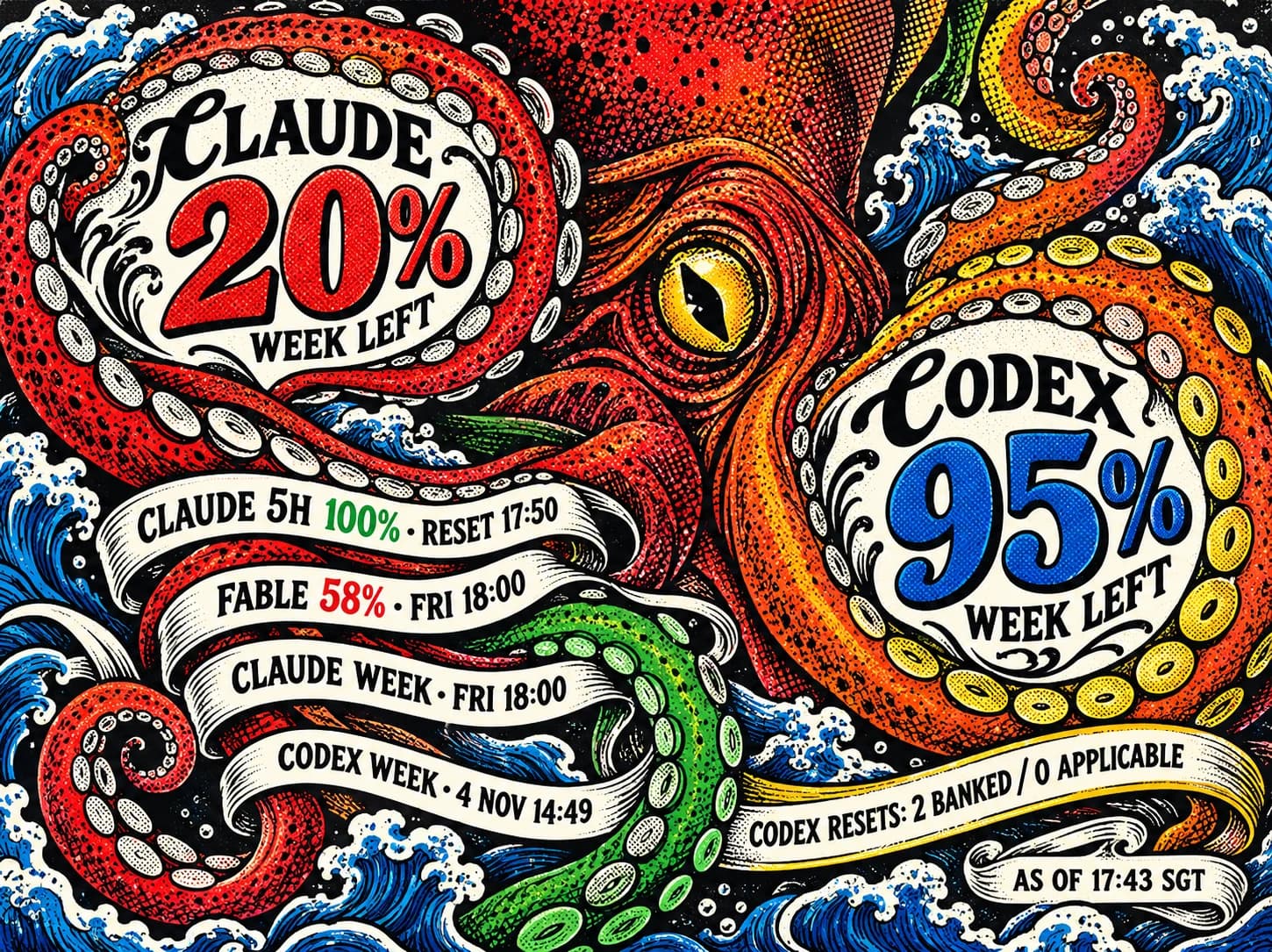
Every image in this post is a digital mockup with frozen example readings from a single snapshot, not my current account and not a photograph of the device. The physical panel's colours are more restrained than these RGB previews.
What sits on the desk
The panel is the original Pimoroni Inky Impression 5.7-inch: 600 × 448 pixels, seven inks (black, white, green, blue, red, yellow, orange), and four buttons down the side. Pimoroni has discontinued this model. The code reads the display's identity EEPROM and refuses to drive anything else.
It shows Claude and Codex remaining allowance, the session and model-scoped limits, reset times, and whether Codex has reset credits available. A full refresh takes about 34 seconds of flashing, then the picture stays put, including when the power is off. That suits a number that changes over hours, not seconds. The percentages are subscription quota windows as the vendors report them, not token counts and not money.
The buttons pick the artwork: A previous, B next, C random, D straight home to Budget Kraken. Because a refresh takes half a minute, presses made during one don't queue up a slideshow; they coalesce into the latest selection, which is drawn next and survives a reboot.
There are six compositions to cycle through:
The six compositions, as approved mockups with frozen example readings
Paint the scene, draw the numbers
The first design study did the obvious thing: twelve pleasant illustrations, each paired with a tidy, separate statistics panel. I rejected it. The art was understated, and a picture next to a dashboard is still a dashboard. The second round asked the built-in ImageGen tool for complete compositions with the figures already lettered into the scene, using the panel's own product photography (a pop-comic portrait and an engraved octopus) as style references only. Those six are the mockups above.
They were never going to be the live display. Their numbers are frozen generated lettering: 20% and 95% forever, whatever my accounts say. So each approved image went back through ImageGen as an edit with one instruction: remove every letter and digit, keep each balloon, ribbon, tank label and sign exactly where it was. The result is a clean plate at 1200 × 896.
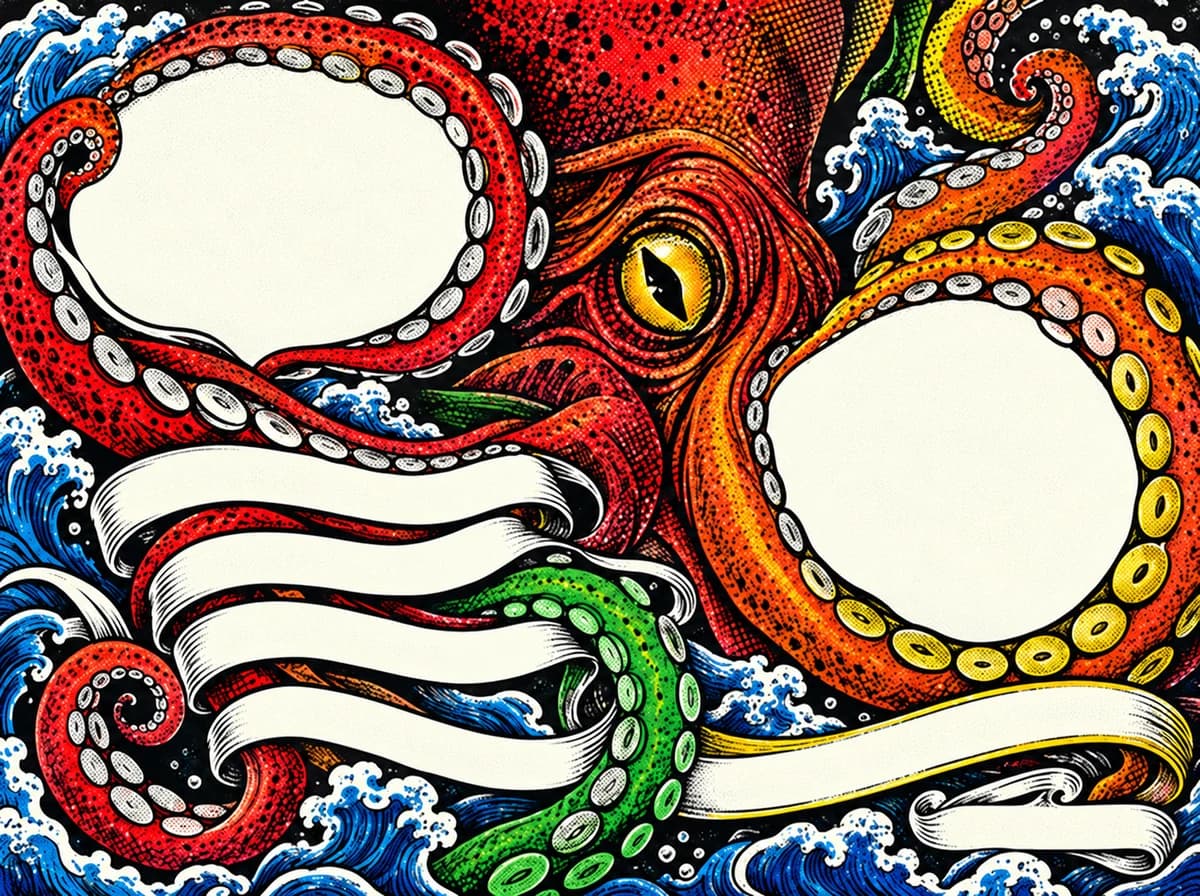
From there, everything is deterministic code. For each composition the renderer holds the exact four-point outline of every information surface. It sets live text at twice the panel's resolution, fits each line to its surface, and projects it through a perspective transform so a label follows the tilt of a tank face or the lean of a sign. The frame is then downsampled to 600 × 448 and mapped onto the panel's seven ink indexes without dithering, so the lettering stays crisp. The headline font (Bangers or DM Serif Display) is chosen per composition to match the original lettering; Barlow Condensed carries the supporting labels on all six.
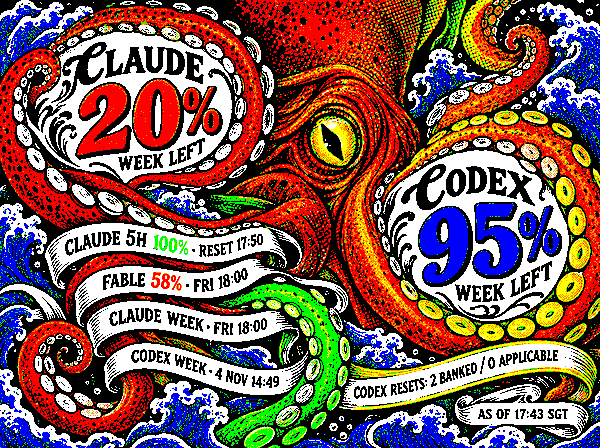
That split is the decision I'd repeat. An image model is excellent at a maximalist octopus and has no business producing a figure someone will plan their afternoon around. Ask it for the surfaces, not the values, and the same scene can carry real data for as long as the hardware lasts.
Where the numbers come from
The Pi collects its own data. A systemd timer runs every ten minutes and calls a private CLIProxyAPI instance over verified HTTPS; in my setup the Pi reaches it through Tailscale. CLIProxyAPI holds and refreshes the vendor OAuth tokens. The Pi holds only a management credential for the proxy, in protected configuration outside the project, and keeps a sanitized snapshot of the usage fields it needs. An earlier version had my Mac collect usage and push the snapshot over SSH; that is history now, and the display no longer depends on the Mac being awake.
A separate service on the Pi owns the buttons and the panel: it renders the selected artwork from the latest snapshot and refreshes the screen.
Stale has to look stale
A slow, persistent screen has a particular failure mode: it keeps showing a confident number long after it stopped being true. So freshness is part of the picture. Each provider is tracked independently. After a failed fetch, or 20 minutes without a new observation, that provider's header says STALE; after 24 hours its values become unavailable rather than lingering. If one provider fails, it keeps its last good values and timestamp while the other updates normally, and the "as of" time shown is the oldest observation on screen. When a reset deadline passes, the display says UPDATE PENDING instead of assuming the allowance refilled. Missing windows stay missing; they never become 0% or 100%. It's the same principle as checking whether the work behind a webhook's 200 actually happened: absence of an error is not evidence of a fresh value.
Build one
The code, the six compositions, the clean plates, the seven-colour proofs and the exact generation prompts are in the inky-claude-codex-usage repository. You can render a preview locally without the hardware or an account. Hardware details, GPIO wiring, installation and the collection setup are in the hardware and operations guide. The caveat is the panel: this exact 5.7-inch seven-colour model is discontinued, and the code deliberately won't guess at another.
$ subscribe --newsletter
Practical AI engineering, in your inbox
Field notes for technical leaders building agents, evaluation systems, governance, and production infrastructure.
Related
Back to PCB Design With AI Doing the Legwork: An NFC Business Card in KiCad
I let coding agents research, source, generate and iterate three native KiCad revisions of an NFC business card over three days in October. The files are real and the checks are clean; the confidence came from datasheets, exact part numbers and independent re-examination, not from the renders.
The 30 Principles for Agentic Engineering — Part 5: Calibration and Reality
Principles 26–30. The calibration layer that catches what the rest of the framework would miss: a PR-noise budget, independent verification, model-swap regression discipline, the 15-tool-call rule, and protecting junior development.
The 30 Principles for Agentic Engineering — Part 3: The Harness
Principles 15–20. The harness configuration that keeps the kernel and lifecycle cheap: CLAUDE.md under 200 lines, hooks for real incidents, skills that auto-invoke, subagent isolation, pinning, and Stage 5 distribution.